
Online Proctoring Without a Camera: The Complete Guide (2026)
Can you run a secure exam without a camera? Yes — and sometimes you should. MonitorExam uses browser lockdown, behavioural analytics and session logs to proctor exams without a webcam. Ideal for low-bandwidth environments and privacy-sensitive institutions.
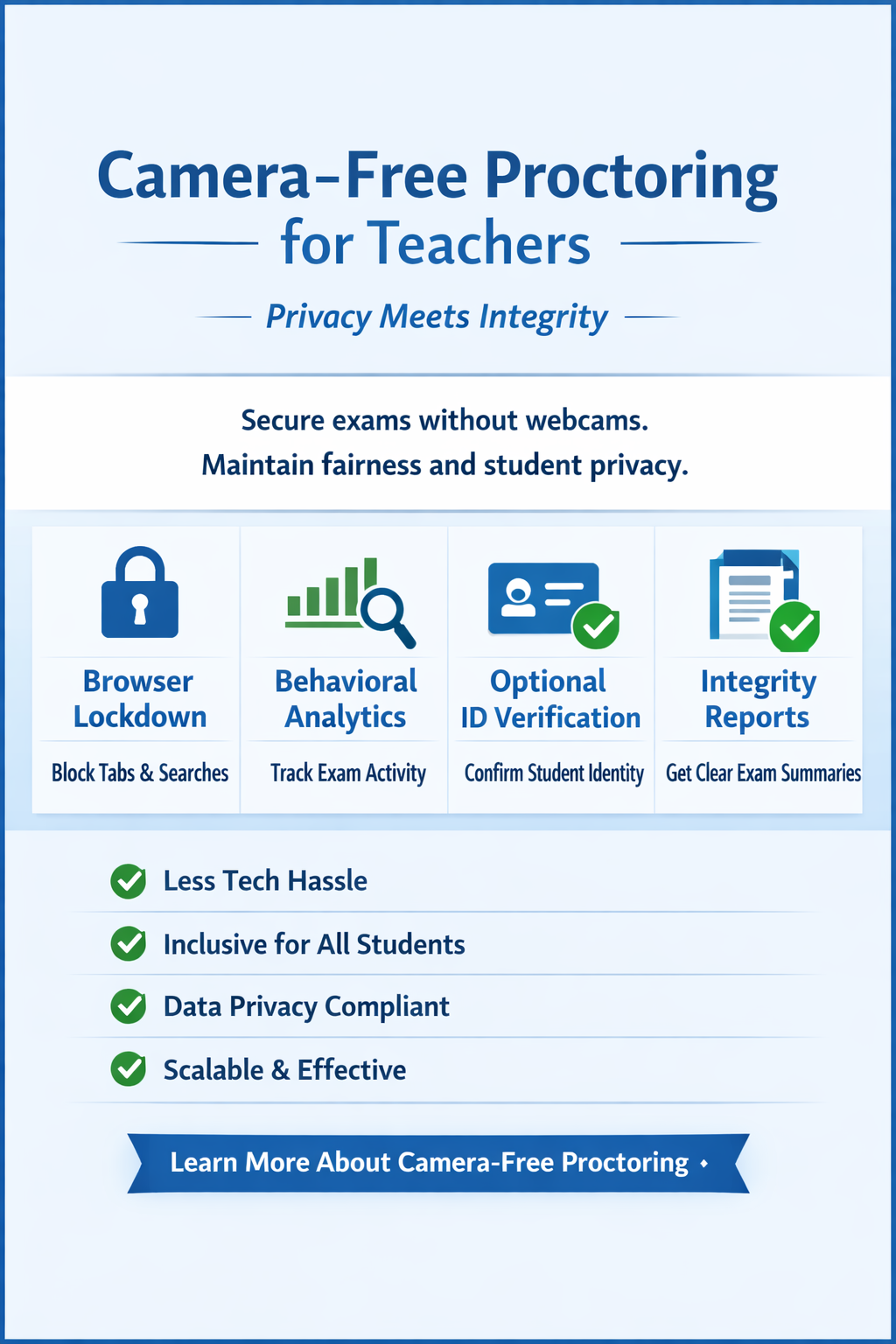
Can you run a secure exam without a camera? Yes — and sometimes you should. MonitorExam uses browser lockdown, behavioural analytics and session logs to proctor exams without a webcam. Ideal for low-bandwidth environments and privacy-sensitive institutions.
Updated September 2026 · 9 min read · MonitorExam
Can You Proctor an Exam Without a Camera?
Yes — online proctoring without a camera is possible, secure, and increasingly the preferred choice for institutions in low-bandwidth environments, privacy-sensitive contexts, and large-scale assessments. MonitorExam proctors exams without a webcam using browser lockdown, behavioural analytics, and session logs — delivering a fully proctored exam without requiring any video feed.
⚡ Quick Answer Camera-free online proctoring uses browser lockdown, keystroke and mouse analytics, tab-switch detection, and session logs to monitor exam integrity without a webcam. MonitorExam's camera-optional mode works on any browser, any device, any bandwidth — no installation required. Free tier: 15 exams/month.
Why Camera-Optional Proctoring Matters in 2026
The assumption that online proctoring requires a camera is outdated. For a significant portion of the world's students — particularly in India, the Philippines, Indonesia, and Sub-Saharan Africa — mandatory webcam requirements create real barriers:
| Barrier | Who it affects |
|---|---|
| No functioning webcam on device | Students using shared or older laptops |
| Low bandwidth — video streaming impossible | Students in Tier 2/3 cities, rural areas |
| Shared living space — no private environment | Students in hostels, shared accommodation |
| Cultural or religious reasons | Students who cannot be on camera |
| Neurodivergent learners | Students for whom camera monitoring causes anxiety |
| Privacy regulations | Institutions with strict data processing rules |
| DPDP Act / data minimisation compliance | Indian institutions processing student data under India's Digital Personal Data Protection Act 2023 |
For all of these students, forcing a camera does not improve academic integrity — it simply excludes learners who cannot comply. Camera-optional proctoring solves this without compromising security.
How Online Proctoring Without a Camera Works
Why snapshots, not video — by design MonitorExam captures AI-triggered image snapshots at violation events and random intervals. No continuous video is ever recorded. Invigilators review flagged moments — not hours of footage. This is a deliberate choice, not a limitation: it reduces storage costs, eliminates DPDP Act compliance complexity, and makes the review process faster for your staff.
MonitorExam's camera-free mode layers multiple detection signals to compensate for the absence of video. Each layer catches a different cheating method.
1. Browser Lockdown
The most foundational layer. When a student enters a proctored exam on MonitorExam:
- Tab switching is detected and flagged in real time (not blocked)
- Copy-paste is disabled
- Printing is blocked
- Right-click context menus are disabled
- Screen sharing attempts are detected
- Multiple monitor detection is active
No installation required. Works on Chrome, Firefox, Safari, Edge — any standard browser.
2. Behavioural Analytics
MonitorExam's AI monitors how the student interacts with the exam throughout the session. The CredScore — a comprehensive integrity report delivered when the student submits — combines seven key signals:
- Tab switching: Flagged whenever the student leaves the exam window
- Copy-paste detection: Keystroke analysis and paste-event monitoring reveal copied answers
- Answer timing patterns: Unusual speed or extended idle periods flagged
- Keystroke velocity: Patterns inconsistent with natural typing detected
- Mouse movement tracking: Cursor leaving the exam window flagged
- Question navigation patterns: Rapid jumping between questions flagged
- Session continuity: Breaks or interruptions logged with timestamps
These seven dimensions create a behaviour profile that identifies anomalies without requiring video.
3. Identity Verification (Optional)
Before the exam begins, students can verify their identity via:
- FIDO2 passkey verification — significantly harder to spoof than passwords
- ID document upload — once, permanently stored for repeat exams
- One-time face check at exam entry (optional) — confirms identity at start, not continuous monitoring
The optional face check happens once at exam entry — not throughout the exam — making it significantly less intrusive than continuous camera proctoring while still confirming the right person is sitting the exam. Students can choose camera-optional mode and skip the face check entirely if their institution permits.
4. Session Logs and Audit Trail
Every proctored exam without a camera generates a complete session log:
- Exam start and end timestamps
- Every tab-switch event with exact time
- Every copy-paste attempt
- Browser focus loss events
- CredScore breakdown per student
This audit trail supports manual review, appeals processes, and institutional compliance requirements — without any video footage that needs to be stored, protected, or consented to.
Start proctoring without a camera today
15 exams/month free. No installation. No credit card.
Start Free → See Pricing Book a DemoOnline Proctored Exam at Home — Without a Webcam
One of the most common use cases for camera-optional proctoring is students taking a proctored exam at home. Many home environments are not suitable for video monitoring:
- Shared rooms with family members in the background
- Poor lighting that makes camera verification unreliable
- Bandwidth too low to sustain a video stream alongside the exam
MonitorExam's remote proctored exam at home mode handles all of these scenarios. The student opens a link — no app download, no Chrome extension — and the proctored session begins. Browser lockdown activates, behavioural analytics run in the background, and the CredScore is ready when they submit.
For institutions running large-scale remote proctored exams — thousands of students simultaneously — this approach is also significantly more scalable than camera-based solutions, which require dedicated bandwidth for each video stream.
Is Camera-Free Proctoring as Secure as Camera Proctoring?
Honest answer: it depends on what you are trying to detect.
| Threat | Camera proctoring | Camera-free proctoring |
|---|---|---|
| Tab switching and browser cheating | ✓ Detected | ✓ Detected |
| Copy-paste from clipboard | ✓ Detected | ✓ Detected |
| Screen sharing / mirroring | ✓ Detected | ✓ Detected |
| Second device (phone) | ⚠️ Partially | ⚠️ Behavioural signals only |
| Another person in the room | ✓ Face detection | ✗ Not detectable |
| Impersonation (wrong person) | ✓ Facial match | ⚠️ FIDO2 or ID upload only |
| Open book / notes | ✓ Visible on camera | ✗ Not detectable |
| AI tools (ChatGPT etc.) | ⚠️ Tab detection only | ⚠️ Tab detection only |
| Continuous video recording | ✓ Some platforms (+extra cost per attempt) | ✗ Not recorded — snapshot evidence only |
MonitorExam does not record continuous video. Violation evidence is captured as timestamped image snapshots — sufficient for audit, appeals, and compliance, without the storage cost or privacy exposure of full session recordings. For Indian institutions specifically, this eliminates the consent and data minimisation obligations that continuous video recording triggers under the DPDP Act 2023.
The right question is not "is camera-free as secure?" but "what level of security does this exam actually need?"
A weekly formative quiz does not need the same security as a professional licensing exam. Camera-optional proctoring is the correct choice for:
- Formative assessments — practice tests, weekly quizzes, self-assessments
- High-volume standardised tests — where logistics make camera-based proctoring impractical
- Privacy-sensitive institutions — where video recording of students is prohibited or requires complex consent
- DPDP Act-compliant institutions — where continuous video recording of students creates data minimisation obligations
- Low-bandwidth environments — Philippines, Indonesia, India Tier 2/3, Sub-Saharan Africa
- Inclusive assessments — where camera requirements would disadvantage or exclude learners
Full camera proctoring (MonitorExam's Live Proctored mode) is appropriate for:
- Final semester exams
- Professional certification assessments
- High-stakes entrance exams
MonitorExam supports multiple proctoring modes on the same platform — configurable per exam, not per institution. Mix and match camera-optional auto-proctoring with live proctoring based on exam stakes.
See the live invigilator dashboard
Watch every candidate live. Chat mid-exam. No video recording stored.
Start Free → See Pricing Book a DemoRemote Proctoring Without a Camera — Country-Specific Context
🇮🇳 India
India's online examination infrastructure varies dramatically between Tier 1 cities and Tier 2/3 cities. JEE, NEET, and CUET are camera-mandatory — but the vast majority of university semester exams, coaching tests, and formative assessments do not require video monitoring. Camera-optional proctoring is the practical default for India's 1,000+ private universities running continuous assessments.
India's Digital Personal Data Protection Act 2023 (DPDP Act) classifies continuous video recording of students as sensitive personal data requiring explicit, specific consent per recording session — and mandates data minimisation, meaning institutions must justify why they are collecting video if less invasive signals suffice. MonitorExam's snapshot-only approach captures timestamped evidence of violations — not a continuous biometric stream — significantly reducing DPDP compliance exposure compared to video-first proctoring tools. For university legal and IT teams navigating DPDP implementation, this distinction matters.
🇵🇭 Philippines
CHED's advisory allowing 100% online classes means Philippine HEIs are running exams for students across islands with varying bandwidth. Many students in Mindanao and the Visayas connect via mobile data rather than broadband. Camera-optional proctoring is essential infrastructure for Philippine institutions running equitable online assessments.
🇮🇩 Indonesia
Indonesia's Merdeka Belajar reform is actively reducing high-stakes, camera-mandatory exam culture in favour of formative, project-based assessment. MonitorExam's camera-optional mode aligns directly with this reform — providing credibility for online assessments without replicating the surveillance model being phased out.
🇺🇸 United States
US universities increasingly recognise that mandatory webcam proctoring raises accommodation issues under ADA, creates equity concerns for students without reliable camera setups, and generates FERPA compliance complexity around video recording. Camera-optional proctoring removes all three concerns while maintaining audit-trail compliance. The absence of continuous video recording also eliminates the data retention obligations that FERPA places on institutions holding student video records.
Live Online Proctoring vs Camera-Optional Proctoring
| Feature | Live remote proctoring | Camera-optional AI (MonitorExam) |
|---|---|---|
| Human proctor watching live | ✓ Yes — institution's own staff | ✗ No — fully automated |
| Camera required | ✓ Yes | ✗ No |
| Installation required | Usually yes | ✗ No |
| Cost | $15–30/exam (US market) | ₹99–149/exam Standard; ₹79 Pro |
| Scalability | Limited by proctor availability | Unlimited concurrent sessions |
| Works on low bandwidth | ✗ No | ✓ Yes |
| Continuous video recorded | ✓ Typically yes | ✗ No — snapshot evidence only |
| CredScore report | ✗ Not standard | ✓ 7-dimension integrity report |
| DPDP Act data minimisation | ⚠️ Video storage triggers obligations | ✓ Snapshots only — lower exposure |
| Suitable for | High-stakes professional exams | University, EdTech, formative |
For most institutional use cases — university semester exams, EdTech assessments, corporate certifications — camera-optional AI proctoring delivers sufficient integrity at a fraction of the cost and complexity of live remote proctoring.
Camera-optional proctoring — free to try
15 exams/month permanently. INR pricing. GST invoices. No video stored.
Start Free → See Pricing Book a DemoFrequently Asked Questions
Can you proctor an exam without a camera? Yes. MonitorExam proctors exams without a webcam using browser lockdown, behavioural analytics, tab-switch detection, and session logs. Camera-optional mode is available on the free tier (15 exams/month) and works on any browser without installation.
What is online proctoring without a camera called? It is commonly called camera-optional proctoring, camera-free proctoring, or remote proctoring without a webcam. It uses non-video signals — browser behaviour, keystroke patterns, and session logs — to monitor exam integrity.
Is remote proctoring possible without a webcam? Yes — remote proctoring without a webcam is fully possible using browser-based monitoring. MonitorExam's remote proctored exam at home mode works without any camera or video feed.
Does online proctoring require a camera? No — not all online proctoring requires a camera. Some solutions like Honorlock and Proctorio mandate both a Chrome extension and a webcam. MonitorExam's camera-optional mode requires neither — it works in any standard browser.
Does MonitorExam record video during the exam? No. MonitorExam captures AI-triggered image snapshots when a violation is detected, plus random interval photos throughout the session. No continuous video is ever recorded. This is intentional — it reduces storage costs, eliminates DPDP Act compliance complexity for Indian institutions, and means invigilators review flagged snapshot evidence rather than hours of footage. Tools like AutoProctor offer optional full video recording at significant extra credit cost per attempt; MonitorExam's approach keeps evidence targeted and reviewable without that overhead.
Can proctored exams detect cheating without a camera? Yes. Browser lockdown catches tab switching, copy-paste, and screen sharing. Behavioural analytics detect the seven key anomaly patterns: tab switches, copy-paste velocity, answer timing, keystroke velocity, mouse movement, question navigation, and session continuity. AI flags suspicious behaviour and delivers a CredScore per candidate. These signals catch the most common forms of online cheating without a camera.
Is camera-optional proctoring suitable for university exams? Yes — for formative assessments, internal semester tests, and large-scale online exams where logistics or equity concerns make camera-mandatory proctoring impractical. For final exams or professional licensing, MonitorExam's live proctored mode is available on the same platform.
What's the difference between camera-optional and live proctoring? Camera-optional uses AI and session logs to detect cheating behaviour — fully automated, scalable, suitable for most university exams. Live proctoring lets your institution's own invigilators watch every candidate in real time via MonitorExam's live dashboard and chat mid-exam — more oversight, required only for high-stakes assessments.
Can students skip the face check on camera-optional exams? Yes — if your institution permits it. The optional face check at exam entry confirms identity; it can be enabled or disabled per exam. Students choosing camera-optional mode can skip video entirely.
Is MonitorExam compliant with India's DPDP Act? MonitorExam's snapshot-only approach captures violation evidence — not continuous biometric video — which reduces the data minimisation obligations under India's Digital Personal Data Protection Act 2023 compared to video-recording proctoring tools. For institution-specific compliance queries, contact our team.
Getting Started with Camera-Optional Proctoring
MonitorExam's free tier includes camera-optional proctoring for 15 exams/month — no credit card, no installation, no commitment.
Three steps:
- Register free — takes 60 seconds
- Paste your Google Forms link or create an exam in MonitorExam
- Share the proctored exam link with students — camera is optional by default
For institutions needing volume pricing, INR invoicing with GST, or a dedicated implementation walkthrough:
Book a 15-minute walkthrough
See how camera-optional proctoring works for your institution. No sales pitch. INR pricing available.
Start Free → See Pricing Book a DemoRelated Reading
- Can Google Forms Detect Cheating? What Teachers Actually See
- How to Proctor Google Forms Exams: 5 Methods That Actually Work
- Honorlock vs MonitorExam: Honest Comparison for 2026
- Can Online Exams Be Conducted Without a Webcam?
- Why the Future of Online Exams Belongs to Passkeys (FIDO2)
Learn more: Camera-Optional Proctoring on MonitorExam